Best AI Voice Tools for Pronouncing Product Names in a Short Demo – Toolveyor
Best AI Voice Tools for Pronouncing Product Names in a Short Demo
Compare ElevenLabs and Murf for product-name pronunciation: correction controls, model compatibility, revision costs and commercial demo handoff.
Written by Andrew White
•5 min read
A short product demo can sound polished and still mispronounce the one name the audience needs to remember. Choose a voice tool by how you can correct that word, repeat the correction and deliver an approved take—not by its most impressive stock sample.
Our editorial shortlist is ElevenLabs for reusable pronunciation rules with explicit model choices, and Murf Studio for corrections inside a block-based voiceover editor. Neither is a universal pronunciation winner.
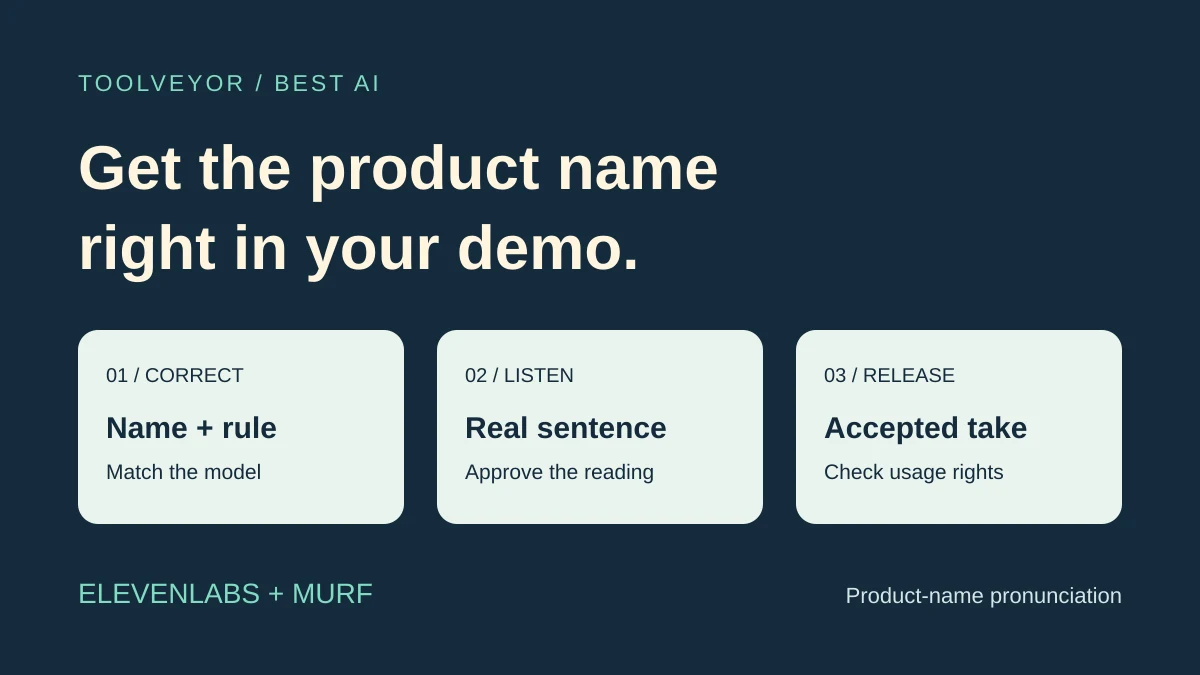
Selection criteria: a published, active tool with documented pronunciation controls, a way to evaluate a short phrase, clear revision allowances and a paid route to usable commercial narration. Official sources were checked November 7, 2026. We inspected public documentation and pricing, including Murf's live Studio billing controls. We did not generate audio, conduct listening tests or measure accuracy. The cover is an original illustration.
Compare the correction process first
This selection is for an editor who already has a short script and needs an acceptable reading of a product name. Our training-video voice guide covers broader narration workflows; our ElevenLabs script checklist covers preparation before generation. Here the buying question is how to correct and approve the resulting name.
Share:
Decision
ElevenLabs
Murf Studio
Correction mechanism
Dictionary alias or phoneme rule; compatibility depends on model
Smart suggestions, custom IPA, alternative spelling and locale controls
Useful fit
A name rule you want to retain with the selected model and voice
An editor correcting a word within an existing narration block
Revision budget
Generation consumes credits; free regenerations have conditions
Pronunciation-only changes to unchanged text do not consume VGT under the documented rule
Main check before committing
Confirm the rule works in the exact model and surface
Confirm library entitlement, license and the account's current limits
“Best” means these are suitable candidates under those criteria. It does not mean either produced the best-sounding version in a test.
1. ElevenLabs: choose it for an explicit pronunciation dictionary
The dictionary guide describes alias rules that replace text with a spoken equivalent and phoneme rules that specify a phonetic reading. Rules are case-sensitive, so a product name with different capitalization may need separate entries.
That is useful when the same invented name recurs across several lines. Keep the displayed product spelling in your approved script, and retain the spoken substitution as a separate, reviewable rule. An alias should express the brand owner's intended reading, not a pronunciation guessed by another model.
The key limitation is model compatibility. The programmatic documentation lists dictionary phoneme support for v4, v4 Turbo, Flash v2 and v3, and says other models skip unsupported phoneme tags. It recommends aliases for those other models. Dictionary rules and inline SSML are different mechanisms; do not assume a markup recipe works everywhere.
Choose ElevenLabs when retaining a named dictionary rule and recording the selected model are useful to your process. Reconsider it when you expect any rule to work unchanged across every voice, model or interface.
Budget for listening, not just downloading
ElevenLabs' quota explanation says generating audio consumes credits. Rejected takes can therefore cost allowance before you download anything.
It describes conditional free regenerations on the website, including unchanged inputs and a limited time window; v3 instead gives two alternatives per charged Generate action. API use does not inherit the website's free-regeneration allowance. Check the actual Generate/Regenerate indicator rather than budgeting all pronunciation experiments as free.
2. Murf Studio: choose it for correction within a narration block
Murf's pronunciation help documents smart suggestions, custom IPA, alternative spelling and locale changes. The described workflow starts by selecting a word, choosing the correction and previewing it.
For a short demo, that provides a useful way to investigate a name without rewriting the whole narration. If a phonetic transcription is unfamiliar, alternative spelling offers another route. Both still require a listener who knows the intended pronunciation.
Library access needs care. The help page includes an Enterprise-only library section, while the live pricing comparison lists personal libraries on Creator and Business. Verify the entitlement in your account; do not buy a lower plan assuming you will get a shared team pronunciation library.
Choose Murf when your work centers on correcting words in narration blocks and its editor fits your handoff. Reconsider it when cross-team library access or a specific business license is essential but has not been confirmed.
Separate pronunciation changes from script rewrites
Murf's VGT explanation says changing pronunciation and other listed delivery settings for the same text does not consume voice generation time. Adding or changing text charges generation for the affected sub-block.
That is a meaningful distinction for repeat corrections. It does not mean a complete demo has unlimited free revisions. Keep the name in a short, sensible block so a later factual rewrite does not require regenerating an unnecessarily large passage.
Prices and release conditions
These are public USD offers checked on the review date, not completed purchases:
Entry route
Verified price and allowance
Release consideration
ElevenLabs Free
$0; 10,000 credits/month
Non-commercial evaluation
ElevenLabs Starter
$6 recurring monthly; 30,000 credits/month
Paid commercial license, subject to service conditions
Murf free evaluation
10 minutes of generation
No downloads or commercial rights
Murf Creator
$29 monthly with 2 generation hours/month; or $228/year ($19/month equivalent) with 24 hours/year
Individual offer; confirm business eligibility
Murf Business
$99 monthly with 8 generation hours/month; or $792/year ($66/month equivalent) with 96 hours/year
Lists a Business License; one editor
The ElevenLabs pricing page advertised a $1 first Starter month separately from its recurring rate. Credits are shared across products; they are not a guaranteed number of approved demo minutes.
The Murf Studio pricing page separates Studio from API and Dub. Annual allowances are not monthly grants. “Unlimited downloads” does not mean unlimited generation. Confirm the current billing selection, taxes, project limits and license before checkout.
ElevenLabs' publishing conditions exclude Free output from commercial use and exclude Beta Services from commercial and production use. Buying later does not make an earlier Free take eligible. Murf's live pricing FAQ describes the Personal License as individual use, including small commercial projects, and the Business License as designed for people representing organizations. Its project guidance recommends Business for registered businesses. A low-price preview and permission to release a client demo are separate decisions.
A small acceptance check before choosing
Use the same permitted sentence, intended accent and approved name reading in both evaluations. Include the name once on its own and once in the real sentence, where surrounding words can change the perceived rhythm.
Change one relevant control at a time. Record the voice, model where applicable, rule, script version and allowance consumed. Listen again in the final sentence after applying a correction; a convincing isolated word is not enough.
Ask the authorized reviewer to approve the name, surrounding words and timing against the screen action. Keep the accepted audio file with its settings and release conditions. If neither candidate delivers an acceptable reading within your budget, use a recorded human take or revise the production approach rather than buying more allowance blindly.
This is a proposed evaluation, not a successful experiment we performed.
Next step
Open ElevenLabs if reusable rules and model control matter most, or Murf if block-level correction suits your editing work. Evaluate the hardest name first, then pay only for the verified correction workflow, allowance and release rights your demo needs.